What Is a VIP Page on Listings Biz? A Plain Explanation

A VIP page is your own one-page website on your Listings Biz listing address. You write it with an AI tool, paste in the HTML, and our team reviews it before it goes live. It costs $2 a month or $12 a year, and you can try a free 24-hour preview first.
Every business or person on Listings Biz starts with a free listing: a name, a short description and a way to contact you. A VIP page goes further. It is a full page of your own, laid out the way you want, with your logo, your services and buttons people can tap to call or email you.
What does a VIP page look like?
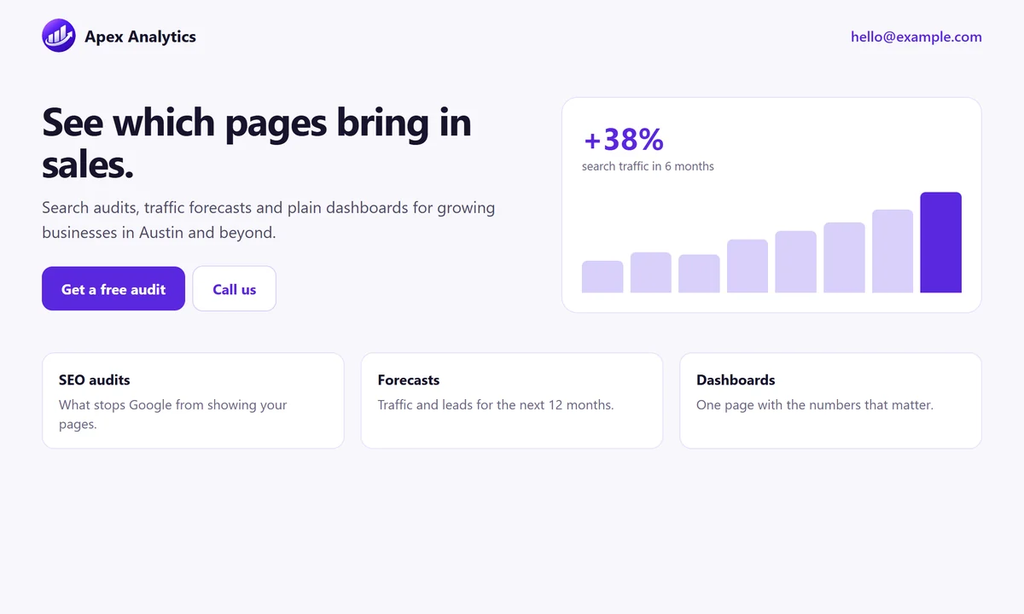
Your page lives at your listing address, for example listingsbiz.com/biz/your-name/. It is one page that scrolls: a headline, a short description, your services, your contact buttons and anything else you ask your AI to add.
To see real layouts, open the VIP business page examples or the VIP personal branding page examples. The people and businesses shown there are made up, and each one is marked Example.
What do you get with VIP?
- Your own one-page website on your listing address, written with your own AI
- A review by our team before anything goes live. VIP pages get priority review, with a target of 10 hours. That is a target, not a promise
- A VIP badge on your listing
- Your own SEO title and description
- Tracking by ID for Google Search Console, Google Analytics, Facebook Pixel, Microsoft Clarity, TikTok Pixel and LinkedIn Insight Tag. You copy the ID and paste it in. You never paste code. See Google, SEO and tracking
- A downloadable QR code and a custom favicon
- Unlimited edits, each one checked before it is published
Your page uses your listing address, so it is in our sitemap and our team asks Google to index it. Nobody can promise a position in Google, so we do not.
What is the difference between a free listing and a VIP page?
| Free listing | VIP page | |
|---|---|---|
| Price | $0 | $2 a month or $12 a year |
| Page | Standard listing page | Your own one-page website |
| Edits | 2 a month | Unlimited |
| Review time (target) | Within 48 hours | Within 10 hours |
| VIP badge | No | Yes |
| Your own SEO title and description | No | Yes |
| Tracking IDs (Analytics, Pixel and more) | No | Yes |
| QR code and custom favicon | No | Yes |
The full comparison is on the Pricing page. If you have not listed yet, read what a business listing is and why it matters first.
How does a VIP page work?
Six steps take you from sign-in to a live page. The VIP page step by step guide covers each one in detail.
- Sign in with your email code and open the VIP tab in your account.
- Start a free 24-hour preview, or add a licence key if you already bought VIP. See Buy VIP and get your licence key.
- Copy the AI prompt and paste it into ChatGPT, Claude or Gemini. Our ChatGPT step-by-step guide shows how.
- Paste the HTML the AI gives you into the form, then add your logo and favicon.
- Read the page check and fix anything it flags. See Preview and page check.
- Send the page for review. When it is approved, it goes live on your address.
Can you try a VIP page before you pay?
Yes. The free 24-hour preview gives you a private link to your page. You do not need a card.
Links to other websites are switched off in a preview. Email, phone and WhatsApp buttons keep working, so you can test them. After 24 hours the page waits another 24 hours as a draft. Then it is deleted, unless you add a VIP licence key. We send you one email when the preview ends, and it tells you the deletion time.
Full details are in Try your VIP page free for 24 hours.
What can a VIP page not do?
- It is one page. There is no shop, blog or member area.
- It has no custom domain. Your page stays on your Listings Biz address.
- Only HTML and CSS are kept. Scripts, forms and code that runs on the page are removed, so contact goes through email, phone and WhatsApp buttons. See the page HTML rules.
- You write the content. The AI drafts it and you check it. Our team checks pages for safety and a working contact email. We do not check whether your claims are true.
Who is a VIP page for?
Business owners who want opening hours, an address and a call button in one place. Independent professionals who want one link for a bio, an email signature or a business card. People who want to test a one-page site before they pay a developer.
Start with the business page guide or the personal branding page guide. If you are comparing options, see how Listings Biz differs from a Facebook business page.
How much does a VIP page cost?
VIP is $2 a month or $12 a year, billed through Gumroad. One licence covers one listing. The VIP and refund terms explain renewals, cancellation and refunds, and the Pricing page always shows the current price.
Frequently asked questions
Is a VIP page a real website?
Yes. It is a one-page website on your Listings Biz listing address. It does not have its own domain name.
Do I need to know how to code to make a VIP page?
No. You press Copy AI prompt, paste it into an AI tool such as ChatGPT, Claude or Gemini, and paste the HTML it writes back into the form.
How long does VIP review take?
VIP pages are reviewed first, with a target of 10 hours. Free listings have a target of 48 hours. Both are targets, not promises.
Can I cancel my VIP page?
Yes. VIP renews each period until you cancel. The VIP and refund terms explain what happens to your page and how refunds work.
Can I change my VIP page later?
Yes. VIP includes unlimited edits. Each change is checked by our team before it goes live.
A VIP page suits you if you want one clean page that says who you are and how to reach you. Start with a free 24-hour preview. If you like what you see, add a licence key and send it for review.